System Mechanic
Registry Cleaner and Registry Repair
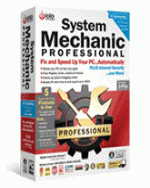 System Mechanic is the most advanced registry cleaning and PC optimization tool that Iolo has ever put out.
Iolo has been putting out great software programs for over a decade and they are a Microsoft Certified Partner. You only get this kind of prestige if you consistently put out great products for windows.
System Mechanic software has been around for close to 11 years and jut about no other company has been focusing on registry repair and PC performance for as long as they have.
System Mechanic Features:
- Easy to understand system overview
- Clear explanation of each problem
- XP, Vista , Windows 7, both 32- 64 bit support
- Monitor progress of scan
- Ability to back up windows registry
- ActiveCare® Provides real time repairs
- Manage start-up list


You must purchase the System Mechanic full version in order to receive all the features listed above. The System Mechanic evaluation will scan your computer for registry errors. The price seems to change around but you can normally get it for around 49.95 USD
System Video Mechanic Review
System Mechanic Review
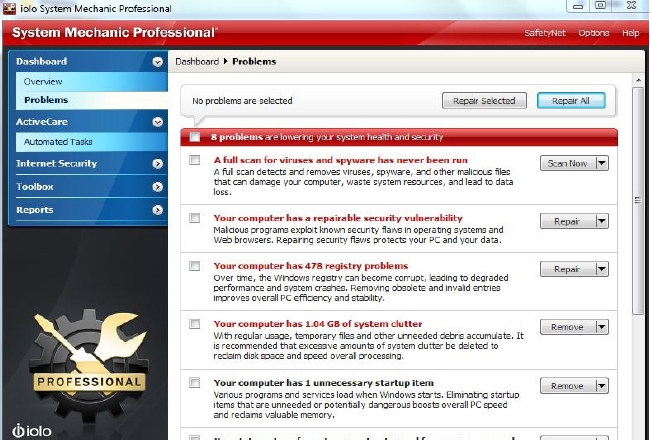
After intall the first screen will have several choices to help you get started. If you are non-technical all you really need to do is select the Check All box on the top left and then hit the Repair All button. There are plenty of tutorials for this program to help you fully understand System Mechanic. It’s not the easiest program in the world to use but it does have many features and if used correctly you can really optimize your PC.
The one button click is what’s really nice for most users. It will look at any potential problems like viruses, registry errors and system performance issues and even clean out the temp file and the like.
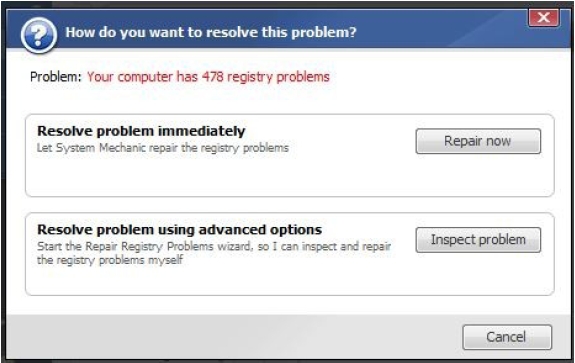
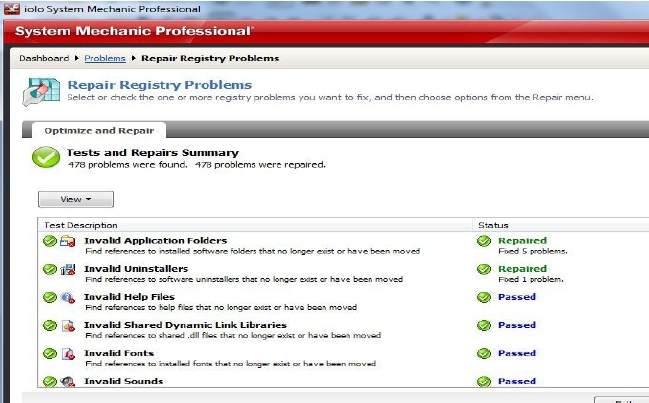
The below image shows the registry errors that were found when I ran a scan of the program. All that is needed is for me to hit the Repair Now button and System Mechanic will do the repairs. A registry backup is auto performed for me in case any thing goes wrong I can revert back.
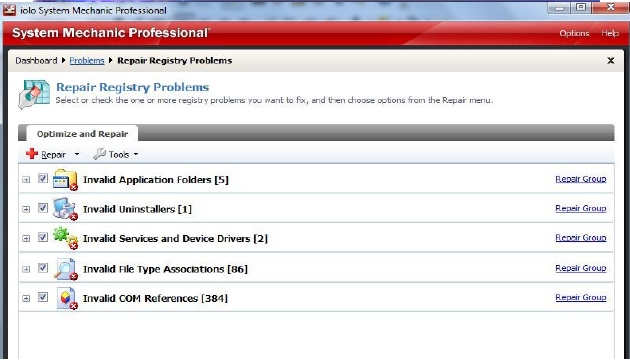
It should only take a minute or two for all the repairs to get done. Once this happens you will be told of any errors that could not be fixed. You should expect a few that were not repaired but in most cases it gets just about all of it.
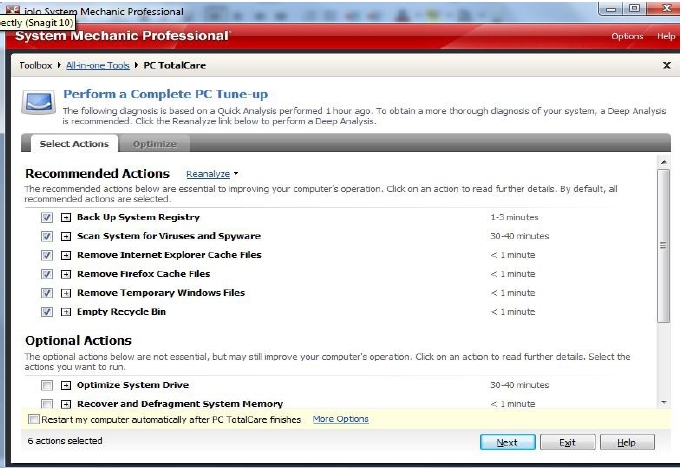
The below image cover the PCTotalCare section of the software. It’s under the ToolBox option in the menu. You have the option to drill down into all the sections of your computer and choose what you want to optimize. In reality it would of been better to not make things so confusing for people. My recommendation is to just check everything and hit the NEXT button to have it all taken care of. As the program will do a virus scan you should expect at least half an hour to and hour for the scan to be done. If you already have a anti-virus client you may want to disable it in System Mechanic to save a little bit of processing power.
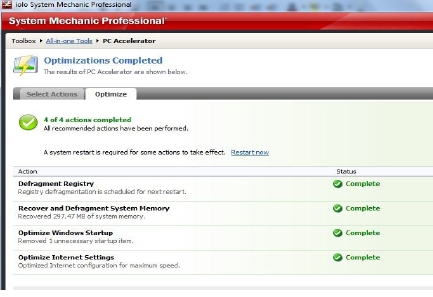
The PC Accelerator section is where more people are going to get the biggest bump in speed. The Optimize Windows Startup section will allow you to un-check all the programs you don’t want auto starting on you when your computer boots. It’s not going to remove those programs from your computer. Just makes it so they do not auto start. Take a little time to go though this option after the auto scan to ensure you have disabled all the programs you don’t want to auto start.
The Optimize System Drive option is a de-frag option. This can take a few hours to do and honestly most people will not get a huge bump in speed from it. Still it’s something that should be done every few months or so to keep your computer running at it’s peak performance.

With out the Optimize System Drive checked the optimization was done in under 2 minutes.
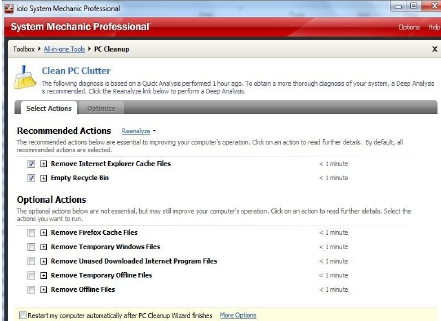
The PC Clean section is basically a junk file/temp file remover. It will remove you temperary files from surfing the web. Great feature to have if you want to remove your surfing history. Personally I like to keep my cookies and web history as it makes pages load faster and I don’t have to re-verify my computer with my bank or e-mail host. The option is yours and it’s nice they included it in the program.
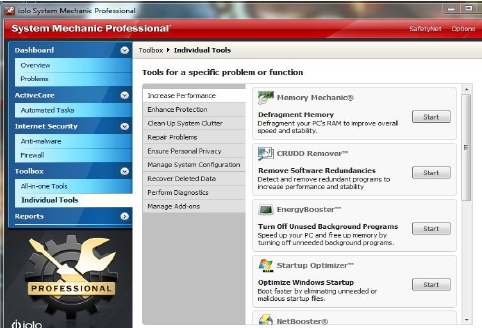
In the Individual tools section of the program is where you get to geek out. It’s a little advanced and honestly no one really needs to mess with it. However if you want to squeze every ounce of juice out of your system this is were you get to tweak things. You will most likely have to read the turial to fully understand what is happening in each section. System Mechanic does a good job of explaining what each section is but for most people they won’t fully understand what all of it means. I would advice the average computer user to not even worry about using this section. It’s one of those things that you could spend a few hours on and not even boost your computer speed more then a percent. Just not worth the time in my opinion.
Overall I really like System Mechanic. It’s not as simple to use as our top 3 picks and it does cost more but it also has more options then our top 3 picks. Some times less is better and that is why we ended up bumping System Mechanic to our number 4 slot. Still a great registry cleaning program and all-in-one optimization program but it will take most users a little time and frustration to fully understand. It’s worth the price tag of 69.95 but for half the cost you can get basically the same end results with PC Health Advisor or Registry Booster.
I do recommend System Mechanic because it works for cleaning the registry and has over 50 different tools you can use to fully tweak your computer.
Read More of our Registry Cleaner Reviews


 My name is Jacob and I started this registry cleaner review site to help people make the correct choice when selecting a registry cleaner.